
The short version
We compared Simplified, Canva and Predis.ai for small product brands that need design, copy, video and scheduling without juggling five apps. Simplified came first because it closes more of the gaps between those jobs in one workflow.
Affiliate disclosure: Brand Tool Guide is reader-supported. Some links on this page are affiliate links, which means we may earn a commission if you sign up, at no extra cost to you. Our rankings are our own opinion, and we've included the downsides of every tool, including our #1 pick.
---------------------------------------------------------------------
The problem is easy to picture: a Sunday night, a blank Instagram square, and a small product brand still trying to finish the week's content.
The plan had been simple. Post three times a week. Show the product, share a tip, tell a bit of the story behind the brand. Every marketing course says the same thing: be consistent, show up, and the audience will come.
The obvious question is why a simple post had become a 10pm project, with a half-written caption in a notes app, an unedited video clip and a nagging feeling that Tuesday's post had been forgotten.
If you sell something you make, or you run a small brand, I'd bet you know that feeling. You don't lack ideas. You lack the hours. And every hour you spend fighting with a design app is an hour you're not making, packing, selling or sleeping.
When we mapped out why social media felt so hard, it came down to three problems. Not one big one. Three small ones that stacked on top of each other until posting felt like a second job.
Here's what they were, what we tried, and which tool finally fixed all three.
---------------------------------------------------------------------
Problem #1: "I'm not a designer, and it shows"
The first problem was the blank canvas.
I knew what good posts looked like. I'd scroll past brands with clean, consistent feeds where every post looked like it belonged to the same family. Same colours, same fonts, same feel.
Mine looked like they'd been made by five different people. Because, in a way, they had: me on a good day, me on a tired day, me copying a template I liked, me trying something "different", and me giving up and posting a plain photo.
Every graphic took far longer than it should have. Pick a template. Swap the photo. Remove the background. Fight with the text. Realise the colours are off-brand. Start again. Resize it for Stories. Resize it again for Pinterest.
What I actually needed wasn't more templates. I had thousands of templates. I needed something that already knew what my brand looked like, so every post came out on-brand the first time.
Sound familiar? Keep that thought. We'll come back to it.
---------------------------------------------------------------------
Problem #2: "I can design the post, but what do I say?"
The second problem showed up the moment the graphic was finished.
The caption box.
You'd think writing three sentences would be the easy part. It wasn't. Every caption needed a hook, a bit of personality, a reason to care, a call to action, and the right hashtags. Then the same idea needed to be rewritten for Facebook, shortened for X, made more professional for LinkedIn and turned into a product description for the shop.
A general AI chatbot can help, but it means yet another tab, copying and pasting back and forth, and re-explaining the brand every single time. "Write it in a warm, friendly tone. No, less salesy. Remember we're a small handmade brand. No, not that many emojis."
By the time the caption was done, my energy for the actual posting was gone.
What I needed was a writer that remembered my brand voice and lived in the same place as my designs.
---------------------------------------------------------------------
Problem #3: "I keep disappearing"
The third problem was the one that really hurt: consistency.
I'd have a great week. Five posts, a Reel, a few Stories. Then life would happen. An order rush, a market weekend, a family thing. Nothing went out for ten days. And when I came back, the algorithm acted like it had never heard of me.
The fix everyone recommends is "batch your content and schedule it". Great advice. But scheduling meant another app again. Design in one tool, write in another, edit video in a third, then log into a scheduler, upload everything, paste the captions, set the times, and hope nothing broke.
The comparison quickly exposed the cost: four or five different tools, paid or free, just to get one week of posts out the door.
That's when the pattern became clear. The problem wasn't design, writing or scheduling on their own. It was the gaps between them. Every handoff between apps cost me time, energy and consistency.
So I went looking for a tool that could close the gaps.
---------------------------------------------------------------------
What we were looking for
Before testing anything, we wrote down what "fixed" would look like. If a tool couldn't do most of this, it was out.
- Design that comes out on-brand automatically. Brand colours, fonts and logo applied without us thinking about it.
- A writer that remembers our voice. Captions, product descriptions and emails without re-explaining the brand each time.
- Scheduling in the same place. Plan the week, queue it, and walk away.
- Video included. Because short-form video is where small brands are being found right now.
- Fair value for a small business. Ideally replacing tools we already pay for, not adding another bill.
We shortlisted the tools small product brands ask us about most, read their pricing pages, help documentation and user reviews, and compared them against those five needs.
Three tools stood out. Here's how they ranked.
---------------------------------------------------------------------
The Results: Our Top 3 AI Content Tools for Small Product Brands (2026)
| Rank | Tool | Our Score | Best for |
|---|---|---|---|
| #1 | Simplified | 9.4 / 10 | Small brands who want design, copy, video and scheduling in one place, with an AI agent that does the heavy lifting |
| #2 | Canva | 8.2 / 10 | People whose main need is beautiful design and who are happy to write and schedule elsewhere |
| #3 | Predis.ai | 7.5 / 10 | Brands who want fast, AI-generated posts and ads and like a peek at competitors' content |
How we scored them (each out of 10):
| Criteria | Simplified | Canva | Predis.ai |
|---|---|---|---|
| Problem 1: On-brand design | 8.5 | 10 | 7 |
| Problem 2: Copy in your brand voice | 9.5 | 7 | 8 |
| Problem 3: Scheduling and consistency | 9.5 | 7.5 | 8 |
| Video for social | 9.5 | 8.5 | 7.5 |
| All-in-one value for a small business | 10 | 8 | 7 |
| Overall score | 9.4 | 8.2 | 7.5 |
👉 Want to skip ahead? Try our #1 pick, Simplified, here: Simplified
---------------------------------------------------------------------
#1: Simplified : 9.4 / 10 : The Clear Winner
Try Simplified: Simplified
Simplified is the tool that finally closed the gaps.
Where other tools fixed one of our three problems really well, Simplified was the only one that fixed all three in one place. Design, writing, video editing, social scheduling and an inbox for replies all sit under one login, and they all share the same brand kit.
That last part is what makes the difference. Here's how it handled each problem.
How Simplified fixed Problem #1 (design that's on-brand first time)
Simplified has a feature called Brand Brain, which stores your brand: logo, colours, fonts, products and the way you talk. Everything you make afterwards inherits it. So instead of opening a template and fixing it to look like you, the starting point already looks like you.
The design editor itself covers what a small brand needs day to day: templates, background removal, image resizing for different platforms, an AI image generator and an AI photo editor. If you've used Canva, you'll find your way around quickly.
How Simplified fixed Problem #2 (words in your voice)
Simplified's AI writer sits right next to the designs, so there's no copying between tabs. Because it reads from the same Brand Brain, it already knows your tone. Captions, hashtags, product descriptions and emails come out sounding like your brand rather than a generic chatbot.
Writing is also the cheapest thing to do in Simplified. On the credit-based plans we covered in our full Simplified review, the writer used 1 credit per 100 words, so you can draft a lot of copy before credits become a concern.
How Simplified fixed Problem #3 (finally staying consistent)
This is where Simplified pulled clearly ahead of everything else we looked at.
First, the scheduler is built in. Simplified says it publishes natively to 12+ platforms, with a calendar, a bulk scheduler, a social inbox for comments and DMs, analytics, a link-in-bio page, and an approval step if someone else needs to sign off.
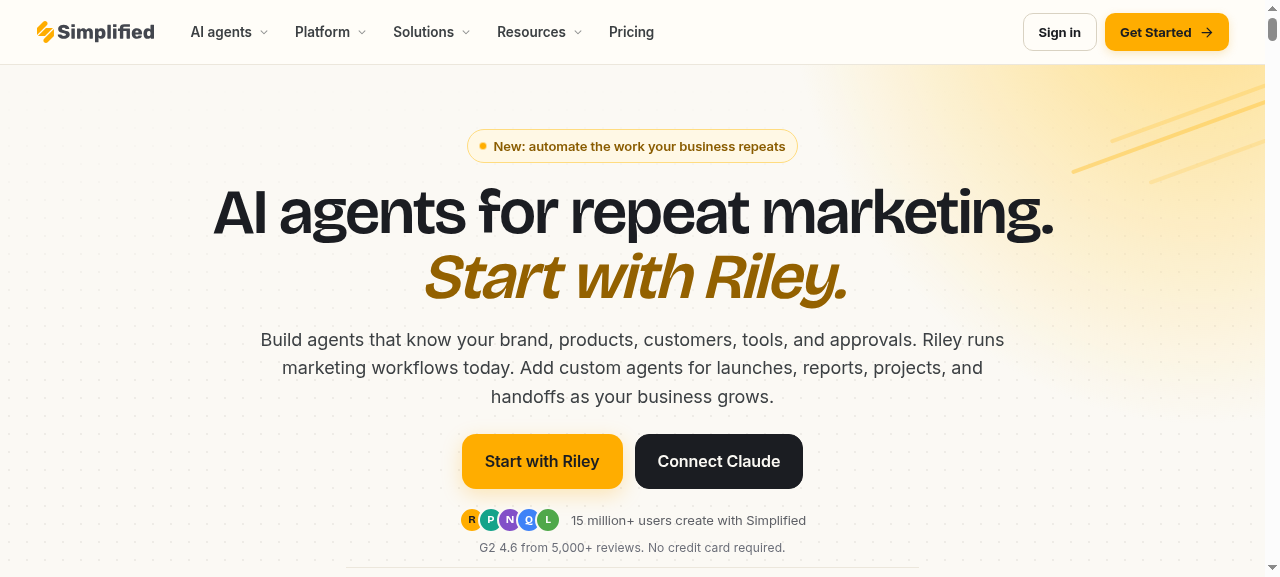
Second, and this is the bit that genuinely changed how we think about social media, there's Riley.
Riley is Simplified's AI marketing agent. You give it a brief in plain English, something like "plan next week's posts for our autumn product launch on Instagram and Facebook", and it plans the campaign, writes the copy, creates the designs in your brand kit and brings the finished work back to you. Nothing goes live until you approve it.
That's the difference between a tool that helps you make posts and a tool that helps you stop disappearing. On a busy week, you can still brief Riley in five minutes, review what comes back, approve it, and know your feed will keep moving.
The video bonus
Short video is the other reason Simplified won. It includes a browser video editor, an AI video generator, image-to-video, auto subtitles, a short-clips tool that turns longer videos into Reels and Shorts, and a video background remover. For a small brand, that can replace a separate video app entirely.
One honest note: AI video is the most credit-hungry thing you can do in Simplified. In our full review, a 60-second AI video started at around 1,505 credits on the credit-based plans. Editing and subtitling your own clips is a better everyday use than generating every video from scratch.
Simplified pricing (October 2026)
Simplified's pricing page now leads with a Starter plan from $79 a month. Starter includes 5 campaigns a month, 100,000 AI words and 100 AI designs. A campaign is one brief-to-approval run: a batch of 6 social posts, an email sequence of 3 to 5 emails, or a set of 3 ad variants. Extra campaigns cost $10 each, and Pro and Business plans raise the campaign count and add team seats.
Every plan also includes the design, video, writing and scheduling tools on their own, so you're not forced to use the agent.
In September 2026 we also recorded plan cards showing Pro from $19 a month billed yearly. Simplified's pricing changes often, so always confirm the exact plan at checkout.
Simplified's own pricing page compares Starter against the tools it aims to replace, including Canva for design, ChatGPT for copy, CapCut for editing, Hootsuite for scheduling and Linktree for link-in-bio. If you're paying for two or three of those today, the maths gets interesting quickly.
What other users say
Simplified is rated 4.6 out of 5 from more than 5,000 reviews on G2. The praise that comes up most is the same thing we found: everything in one place, and far less time moving files, captions and approvals between tools.
What to watch for
No tool is perfect, and we'd rather you go in with your eyes open:
- Refunds are strict. Subscriptions, trial conversions and unused credits are generally non-refundable, so treat the trial as your test drive.
- The trial converts automatically. It's a 7-day trial (usually $1 to start). Set a reminder and cancel at least 24 hours before it ends if it's not for you.
- Pricing has changed a lot in 2026. Check the plan details on the checkout page before you pay.
- Pure design control is a step behind Canva. If design is your only job, Canva has the edge (see #2).
Why Simplified is our clear #1
Canva makes beautiful designs. Predis.ai makes quick AI posts. But our real problem was never one task. It was the gaps between tasks, and the days we disappeared because closing those gaps took too long.
Simplified is the only tool on this list that:
- Applies your brand automatically across design, copy and video
- Writes, designs, edits video and schedules in one login
- Has an AI agent, Riley, that turns a short brief into a finished, on-brand batch of posts for you to approve
- Can replace several subscriptions you may already be paying for
That's why it's our clear winner for small product brands in 2026.
👉 Start your Simplified trial and brief Riley on next week's posts: Simplified
---------------------------------------------------------------------


#2: Canva : 8.2 / 10 : Best for Pure Design
Visit Canva: Canva
Let's be fair: Canva is brilliant, and it's the tool many small brands start with. If Problem #1 (design) was your only problem, Canva would be hard to beat.
What Canva does really well
- Design is best in class. The editor is smooth, the template library is enormous, and the brand kit keeps your colours and fonts to hand.
- Magic Resize turns one design into versions for Instagram, Pinterest, LinkedIn and more in seconds.
- It has AI built in. Canva's AI tools include Magic Write for captions and Magic Design for layout ideas, and in 2026 Canva added a conversational AI that builds editable designs from a text or voice prompt.
- Canva Pro includes a Content Planner. You can schedule designs straight from Canva to supported platforms including Instagram, Facebook, LinkedIn and Pinterest.
- Generous trial and clear pricing. Canva Pro costs $18 a month or $144 a year for one person, and new Pro users can usually try it free for 30 days.
Where Canva is less complete for this use case
Canva solved Problem #1 better than anything else. It just didn't solve #2 and #3 as completely.
- Copy is more of an add-on than a core feature. Magic Write is handy for a quick caption, but it doesn't run your whole content plan in your brand voice.
- Scheduling is basic. The Content Planner is great if you mainly post image-first content to one or two platforms. If you want a full social workflow with an inbox, approvals and deeper planning, you'll likely still want a separate scheduler.
- No campaign agent. There's no equivalent to Riley that takes a brief and brings back a finished, scheduled batch of posts.
- Pro is a one-person licence. Add a second person and you move to Canva's per-seat Business pricing.
- AI usage has limits. Canva's AI features run on monthly allowances, and heavier AI use is pushed toward an extra paid pass.
Who should choose Canva
Choose Canva if design is the job, you're happy writing captions yourself (or with a separate AI tool), and you don't mind using another app for full social scheduling.
If you want all three problems solved in one place, Simplified is the better fit: Simplified
---------------------------------------------------------------------

#3: Predis.ai : 7.5 / 10 : Best for Fast AI-Generated Posts and Ads
Visit Predis.ai: Predis.ai
Predis.ai takes a different approach. Rather than giving you a design studio, it generates finished posts, carousels, videos and ad creatives from a short text prompt, then lets you schedule them.
What Predis.ai does really well
- Speed. Type an idea and get a complete post with visual, caption and hashtags back.
- E-commerce features. Its pricing page lists a product video generator, product post generator, and integrations with Shopify, WooCommerce, Wix and Squarespace.
- Competitor analysis. You can look at what competitors post on Instagram and Facebook, which is a genuinely useful extra for small brands.
- Low entry price. The Core plan starts at $19 a month billed yearly ($32 billed monthly), and Rise is $40 a month billed yearly ($79 monthly).
- Solid ratings. Predis.ai is rated 4.7 out of 5 from 186 reviews on Capterra.
Where Predis.ai is less complete for this use case
- Editing can be fiddly. Some users on Capterra say the images can look obviously AI-generated and that posts are hard to edit afterwards. If you're particular about how your brand looks, that matters.
- Auto-posting isn't on the cheapest plan. Core doesn't include auto posting, so to really fix Problem #3 you need Rise or above.
- Short trial, strict refunds. Predis offers a 3-day free trial with a card required, and payments after that are non-refundable.
- Less of a full workspace. It's excellent at producing posts, but it doesn't offer the same depth of design editing, long-form writing, email and video tools in one place.
Who should choose Predis.ai
Choose Predis.ai if you want quick AI-made posts and ad creatives, you like the idea of tracking competitors, and you're comfortable with an AI look on some of your content.
If you want that speed plus full design control, a brand-aware writer, video editing and an agent that runs whole campaigns, Simplified does more: Simplified
---------------------------------------------------------------------

Head-to-Head: How the Three Compare
| Simplified | Canva | Predis.ai | |
|---|---|---|---|
| Our score | 9.4 / 10 | 8.2 / 10 | 7.5 / 10 |
| Design editor | Strong | Best in class | Basic editor |
| Brand kit applied automatically | Yes (Brand Brain) | Brand kit on Pro | Yes (per brand) |
| AI writer in your brand voice | Yes, full writer | Magic Write (lighter) | Captions and hashtags |
| AI agent that runs campaigns | Yes (Riley) | No | No |
| Social scheduling | Built in, 12+ platforms, inbox, approvals | Content Planner on Pro | Yes (auto posting from Rise plan) |
| Video tools | Editor, AI video, subtitles, short clips | Video editor | AI video maker |
| Starting price (checked Oct 2026) | From $79/mo Starter (Pro from $19/mo yearly recorded Sept 2026) | $18/mo or $144/yr | From $19/mo yearly ($32 monthly) |
| Trial | 7 days, usually $1 | Usually 30 days free (Pro) | 3 days free (card required) |
| Ratings | G2 4.6 (5,000+ reviews) | : | Capterra 4.7 (186 reviews) |
Prices change often. Always confirm on each tool's checkout page.
---------------------------------------------------------------------
So, How Did That Sunday Night End?
The blank Instagram square was never the real problem. The workflow this comparison points to is simple: plan the week's posts before the week starts. The brand kit takes care of how things look. The writer takes care of what to say. The scheduler takes care of when it goes out. And on the weeks when life gets in the way, a five-minute brief to Riley keeps the feed alive instead of letting it go quiet.
That's the real benefit. Prettier posts may come with it, but the bigger gain is time and consistency. It's getting your evenings back while your brand keeps showing up.
If you've been nodding along to any of the three problems, here's the simplest next step:
- Start the Simplified trial through our link: Simplified
- Set up your Brand Brain on day one (logo, colours, fonts, products, tone).
- Give Riley one real brief for next week's posts.
- Review, tweak and approve what comes back, then schedule it.
- Set a reminder for day 5 of the trial and decide if it's earned its place.
You'll know within a week whether it gives you your Sunday nights back.
👉 Try Simplified, our #1 pick for 2026: Simplified
---------------------------------------------------------------------
FAQ
What is the best AI tool for creating social media content for a small business?
In our ranking, Simplified is the best all-round choice for small product brands because it combines design, AI writing, video and scheduling in one app, with an AI agent (Riley) that can turn a brief into a finished batch of posts. Canva is the best pick if you only need design.
Is Simplified better than Canva?
For pure design, Canva is stronger. For running your whole social media workflow in one place, from idea to scheduled post, Simplified does more. That's why we rank Simplified #1 and Canva #2.
Is Simplified better than Predis.ai?
Predis.ai is quick at generating posts and includes competitor analysis. Simplified gives you more control over design, a fuller AI writer, more video tools, a built-in social inbox and an agent that runs whole campaigns, which is why it scored higher overall.
How much does Simplified cost?
In October 2026, Simplified's pricing page showed a Starter plan from $79 a month with 5 campaigns, 100,000 AI words and 100 AI designs. In September 2026 we also recorded a Pro plan from $19 a month billed yearly. Confirm the current plan at checkout.
Does Simplified have a free trial?
Yes. It offers a 7-day trial, usually $1 to start, which converts to a paid plan automatically. Cancel at least 24 hours before the trial ends if you don't want to continue.
Can I schedule Instagram posts with all three tools?
Yes. Simplified includes a full scheduler, Canva Pro includes the Content Planner, and Predis.ai supports scheduling (with auto posting from the Rise plan upwards).
---------------------------------------------------------------------
Keep going
Software / Practical guide
Simplified Review 2026: Is the "One App for Marketing" Actually Worth It for a Small Product Business?
An honest Simplified review for 2026. Riley the AI agent, pricing and credits, the scheduler, design and video tools, refund rules, real user complaints, and how it compares to Canva, Adobe Express and others.
Software / Practical guide
How We Turned Pretty-But-Silent Product Pages Into Pages That Actually Sell (Without Hiring a Developer or Touching Code)
Our Shopify product pages looked fine and sold nothing. Here is the story of the three problems we hit, and the three page builders we rated, with PageFly the clear winner at 9.6/10.

Software / Practical guide
Write an Email Platform Brief Before Comparing Plans: List the Emails You Actually Send, Then Judge Every Tool Against That
Pricing tables tell you what every platform can do. They can't tell you what your business needs to send. Spend an hour writing a one-page brief first, test one real route on your current tool, and comparing platforms becomes quick, fair and much harder to get wrong.