
The short version
Write the real question behind each option label, put suitability choices first and name them by use, give poetic names a plain translation, describe taste on a scale, make sizes mean something in real use, draw a clear line around bundles, match the photo to the selection, test the least obvious option into the basket, and cut options that only add confusion.
To help buyers choose between product options, you have to answer a question your option picker quietly asks and never explains: what changes if I pick this one?
Here's a made-up roaster to follow through this guide. Harbour Roast is a small coffee roaster in Dún Laoghaire. Each of its three coffees comes with two choices:
- Grind: Whole bean, Coarse, Medium, Fine, Extra fine
- Bag size: 250 g, 1 kg
The coffees are called Breakwater, Lighthouse and Fog Bell.
Every week, the same emails arrived:
- "Which grind do I need for a cafetière?"
- "Is Fog Bell bitter?"
- "How many cups is 250 g?"
- "I ordered Fine and it's clogging my filter machine. Can I swap it?"
That last one is the expensive one. Ground coffee can't be un-ground, so a wrong grind usually means a refund, a replacement and a bag that's wasted.
Having options isn't the problem. The problem is an option picker that names choices without saying what they mean.
Every option label hides a real question, so write the question down
Don't write notes like "improve the grind options". That's too vague to act on.
Write the actual question a buyer is asking:
- "Which grind works in my cafetière?"
- "Which coffee is least bitter?"
- "Which coffee is good with milk?"
- "How long does a 250 g bag last me?"
- "Does the brewing set include the grinder in the photo?"
Each question points at the evidence you need: a brewer name for grind, a tasting scale for flavour, a cup count for size, a contents list for the bundle.
Find the decision behind each label, and you'll know what to add.
Separate the choices that decide suitability from the choices that are taste
Not every option carries the same risk.
Suitability options decide whether the product works for you at all. For coffee, grind is the big one. The wrong grind in an espresso machine can block it. The wrong grind in a cafetière gives a muddy, gritty cup.
Taste and preference options change what you'll enjoy, but the product still works. Which coffee, roughly, and which bag size.
The two kinds need different treatment:
- Suitability choices go first, with the clearest possible labels and a short note on what happens if you choose wrong
- Taste choices can have more personality, as long as there's a plain description underneath
On Harbour Roast's page, the grind picker sat below the size picker in a small dropdown. It's now the first choice, shown as buttons.
Name each grind by the brewer, not by the coarseness
This is the most useful change Harbour Roast made.
"Coarse", "Medium" and "Fine" are accurate. They're also words the roaster thinks in, not the words a buyer thinks in. A buyer knows what they brew with. They don't know whether their machine needs medium or medium-fine.
So the options became:
- Whole bean, for your own grinder
- For cafetière (French press)
- For filter machine or pour-over
- For espresso machine
- For moka pot (stovetop)
The coarseness is still there, in smaller text under each button, for people who want it. But the label now matches the question.
The swap emails dropped sharply. People still occasionally choose wrong, but now it's usually because they picked the wrong brewer, which is a much rarer mistake.
Look at your own options for the same pattern. Is a label describing the product's property, when the buyer is thinking about their use? "Size 3" versus "fits 15 to 17 cm wrists". "Medium firmness" versus "for side sleepers".
Give each poetic name a plain translation underneath
Breakwater, Lighthouse and Fog Bell are lovely names. They're part of the brand, and they stay.
But on their own, they tell a stranger nothing about how the coffee tastes. So each gets a plain line beneath:
- Breakwater: medium roast, chocolate and hazelnut, good with milk
- Lighthouse: light roast, citrus and honey, best black
- Fog Bell: dark roast, treacle and smoke, strong and low acidity
Those lines only go up because they match the roaster's own tasting notes for the current batch.
Taste is personal, so describe it on a scale people can use
"Is Fog Bell bitter?" is hard to answer, because bitterness means different things to different people.
So Harbour Roast added two simple scales beside each coffee:
- Roast: light, medium or dark
- Body: light, medium or full
And one line of honest guidance: "If you usually find coffee bitter, start with Breakwater or Lighthouse."
A scale doesn't promise anyone will love it. It gives them a way to compare the three without tasting.
Make sizes mean something in real use
"250 g" and "1 kg" are accurate. But a buyer's real question is "how long will this last me?"
Harbour Roast's answer, based on its own brew guide: "250 g makes about 15 cups at our recommended 15 g per cup."
The recipe matters. Someone who brews strong will get fewer cups, so the sentence states the assumption rather than giving a bare number.
The 1 kg bag gets a different note, because size changes more than quantity: "Best for daily drinkers. Once opened, coffee tastes best within about a month, so if you drink one cup a day, the 250 g bag may suit you better."
That's a size note that occasionally talks someone out of the bigger bag. It also prevents the complaint "my coffee went stale".
Some facts change with the option, and the page has to say so
When an option changes a fact, the page has to change with it.
For Harbour Roast, grind changes freshness. Whole beans keep their flavour longer than ground coffee. So when someone selects a ground option, a short note appears: "Ground coffee is at its best within about two weeks of opening. For longer, choose whole bean."
Look for facts that quietly vary between your options: care, contents, compatibility, delivery time, freshness. If one option has a different fact, it needs a different note, right beside that option.
Bundles need a hard line around what arrives
Harbour Roast also sells a "Brewer's starter set". The photo showed a bag of Breakwater, a glass pour-over cone, a pack of filters, and a hand grinder.
The grinder isn't included. It was there because it looked nice.
Every bundle needs:
- A list of exactly what's included, and how many
- Whether you choose any items, or the selection is fixed
- A clear note about anything in the photo that isn't part of it
The starter set page now says: "Includes one 250 g bag of Breakwater (choose your grind), one glass pour-over cone and 40 paper filters. The grinder in the photo isn't included."
Write contents the way the person packing the order would check it.
One image per decision: make the photo follow the selection
If someone selects Fog Bell, the main photo should show the Fog Bell bag, not Breakwater. If they choose the 1 kg size, the photo should show the larger bag.
Harbour Roast's three bags are different colours, so a mismatched photo is very noticeable. Their theme was keeping the first photo on every option. Fixing that took ten minutes in the theme settings.
Name image files to match the options, like "harbour-fogbell-1kg-front.jpg", so the right image stays attached to the right choice.
Put a short comparison beside the picker, not in a separate tab
A dropdown is compact, but compact isn't the same as clear.
For the three coffees, a small table beside the picker does the comparing for the buyer:
| Coffee | Roast | Tastes of | Best with |
|---|---|---|---|
| Breakwater | Medium | Chocolate, hazelnut | Milk or black |
| Lighthouse | Light | Citrus, honey | Black |
| Fog Bell | Dark | Treacle, smoke | Milk |
Use exactly the same names in the table as in the picker, in the same order everywhere.
There's a free variant comparison table builder on this site that drafts one in your browser from your own facts.
Build a variant evidence sheet in one sitting
For a product with several options, make a row for each option, with:
- The option name
- What changes
- The buyer's likely decision
- The evidence you have
- The evidence you still need
- The image that should appear
- What could be misunderstood
Then write three plain sentences for each option:
- "Choose this when..."
- "You receive..."
- "The main difference is..."
"Choose For moka pot when you brew on a stovetop" is clear. "For the purist" belongs in your brand story, not your buying instructions.
Test the option nobody tests, because that's where the returns come from
Almost everyone checks the default option. The problems hide in the others.
Pick the combination a new buyer is least likely to get right. For Harbour Roast: Fog Bell, ground for moka pot, 1 kg.
Select it and check:
- Does the photo show the Fog Bell bag in the larger size?
- Does the price change correctly?
- Does the freshness note appear for a ground option?
- Does the basket line say "Fog Bell, 1 kg, For moka pot"?
- Does the order record your roaster works from show the grind clearly?
That last check found the real problem. The basket was correct, but the packing list printed "Variant 14". On a busy morning, the person grinding orders had to look up what variant 14 meant. Once, they got it wrong. Now the packing list shows the full option names.
When an option changes the price, say why
The 1 kg bag costs less per gram than the 250 g bag. That's normal, but buyers like to see it. Harbour Roast added the price per 100 g beside each size, so the saving is clear without anyone doing sums.
If one option costs more, give the reason in a few words. "Whole bean and ground are the same price" heads off a common worry. "Deluxe tin: +€6 for the reusable tin" explains a bundle's extra cost.
A price difference with no reason makes people suspicious. A price difference with a reason helps them decide.
Make sold-out options behave clearly
When Fog Bell sold out in the 1 kg size, the picker still showed it. Buyers selected it, and only discovered it was unavailable when the button went grey with no message.
Now sold-out options stay visible but say so: "1 kg: sold out, back in about two weeks." The other sizes stay available, and the page doesn't look as if the whole coffee is gone.
Check this on your own page: select a sold-out option, then an available one, and make sure the page recovers properly.
Write option names that work at the packing bench as well as on the page
Option names travel. They appear on the product page, in the basket, on the confirmation email and on the packing list the person grinding and packing orders works from.
A name that's clear to a buyer but awkward at the bench causes mistakes. Harbour Roast's grind names now appear on the packing list in full, with the grind setting beside them: "For moka pot (fine, setting 8)". The buyer sees the brewer. The roaster sees the setting. Both are right.
Make links from emails and posts open on the right option
If a newsletter is about Fog Bell, the link should open the page with Fog Bell selected. If a post shows the starter set, the link should open the starter set, not the single bag.
Most shops let you link straight to a specific option. Harbour Roast's emails now do this, so the photo, price and tasting note match what the reader just saw, and they don't have to find it again.
Fewer options can make choosing easier
Sometimes the clearest fix isn't explaining options better. It's offering fewer of them.
Harbour Roast's "Extra fine" grind, for Turkish coffee, was chosen in fewer than one order in a hundred. It added a button that confused everyone else, and those few buyers usually emailed first anyway.
They removed it from the picker and added a line: "Need a very fine grind? Email us and we'll grind to order."
Ask of each option:
- Does anyone actually choose it?
- Is it genuinely different from its neighbour?
- Can you explain the difference in one plain sentence?
- Does it cause more questions or returns than the others?
If an option fails most of these, consider retiring it or moving it somewhere it can be explained properly.
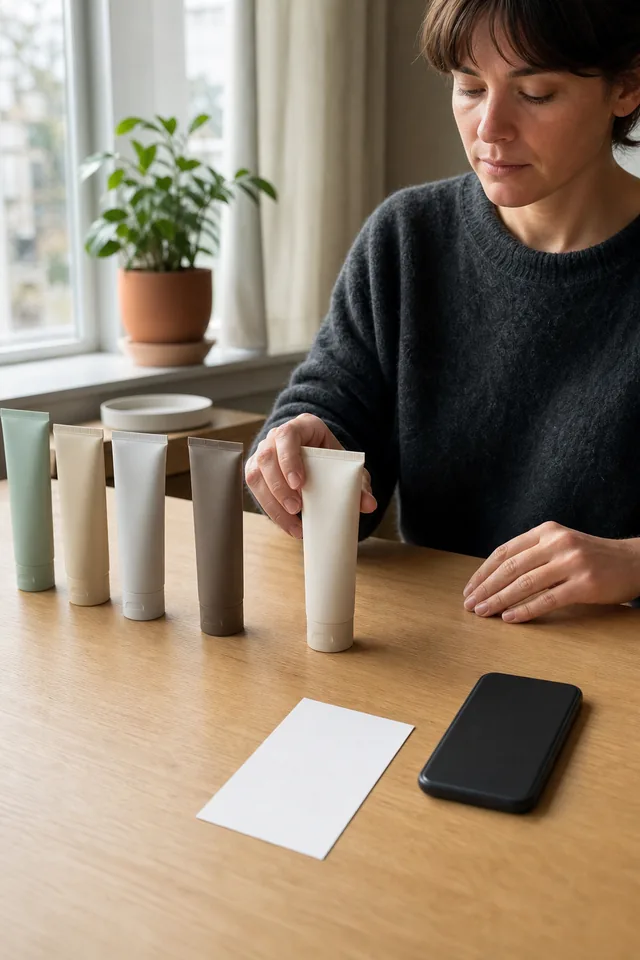
Choose the default option on purpose
The option selected when the page opens is the one most people see first, and often the one they buy without changing.
Harbour Roast's page used to open on "Whole bean, 250 g". Most buyers don't own a grinder. So many people added whole beans to their basket without noticing, then emailed.
They changed the default to show no grind selected, with a message on the button until one is chosen: "Choose your grind". It's one extra tap, and it makes everyone decide on purpose.
For options that decide suitability, a deliberate choice is often better than a guessed default.
Show the brewer as well as naming it
Words help, but a small picture helps faster. Beside each grind button, Harbour Roast added a simple line drawing of the brewer: a cafetière, a filter cone, an espresso machine, a moka pot.
A buyer who doesn't know the name "moka pot" still recognises the little stovetop pot they use every morning. The drawing does the matching for them.
Keep the words as well as the pictures, so the options still make sense to screen readers and to anyone the drawing doesn't help.
Read customer questions as clues about which option is unclear
After changes go live, notice what happens to the questions.
"Which grind for my AeroPress?" told Harbour Roast that the brewer list was missing a popular brewer. It now says "For filter machine, pour-over or AeroPress".
"Is the 1 kg bag resealable?" told them the size note needed one more fact.
Write your next fix from the actual wording of the question. One question is a reason to check, not proof that the whole page needs redesigning.
Keep the options honest when the range changes
Roasters change coffees with the seasons. Lighthouse might become a different origin next spring, with different tasting notes.
When an option changes or retires, check every place it appears: the picker, the comparison table, the photos, the tasting notes, the bundle contents and any emails. A comparison table still describing last season's Lighthouse will confuse buyers more than no table at all.
Your next step this week
Pick one product with options. For each one, write the real question a buyer is trying to answer when they choose it.
If an option decides whether the product works for someone, rename it by the use, not the property, and put it first.
Then select the least obvious combination on your page and follow it to the basket and the packing list. If any step loses or garbles the choice, fix that before anything else.
Keep going
Product Pages / Practical guide
Product Page Checklist: 12 Checks to Run Before Your Page Goes Live, Starting With the Fact That Rules Buyers Out
Most product page checklists count the parts of a page. These twelve checks test whether a buyer can understand, choose and order without guessing, using one made-up dog harness to show every check finding a real problem.

Product Pages / Practical guide
What Buyers Should See First on a Product Page: What It Is, Which Version, the Price and the Next Step, Before Any Story
A new visitor decides in a couple of seconds whether your page is worth scrolling. The top of the page doesn't need to say everything. It needs to say what the product is in ordinary words, which version is selected, what it costs, what to do next, and the one condition that could change the decision.
