

Short version
- Only include questions people have actually asked you, in their own words.
- Answer in one or two sentences, starting with yes, no, or the number.
- If almost everyone asks a question, the answer belongs higher up the page, not in the FAQ.
- Keep product-specific questions on the product page. Shop-wide questions go on a separate page.
- Review it every few months. Questions change as your products and customers change.
A product FAQ section looks like an easy job. You add a few questions to the bottom of a product page, and you're done.
But most FAQ sections are written from the wrong end. They start with what the shop owner wants to say, not what the buyer wants to know.
This guide shows you how to turn that round. You'll build your FAQ from real questions and answer them fast.
You'll also learn to spot when an answer is too important to leave at the bottom of the page.
A good FAQ answers the question a buyer was about to ask
Picture someone on your product page. They like what they see. But one small doubt is holding them back.
Maybe they don't know if it fits in a suitcase. Maybe they're not sure it suits a six-year-old. Maybe they just want to know what's in the box.
If they find the answer in a few seconds, they keep going. If they don't, they might email you. Or they might just close the tab.
That's the whole job of a product FAQ section. It clears small doubts quickly, so people can make up their minds.
It won't fix a weak product or a confusing page. But it can stop a simple question from getting in the way of a decision.
Invented questions sound like an advert, not a conversation
Most shop owners write their FAQ by guessing. They sit down and ask themselves, "What might people want to know?"
The questions that come out tend to look like this:
- "What makes this product special?"
- "Why should I choose this?"
- "Is it high quality?"
Nobody types those into an email. They're sales points wearing a question mark.
Buyers can tell. When the questions sound like an advert, the whole section feels like one, and people stop reading.
Guessed FAQs cause two more problems.
The answers tend to run long. A good answer takes a few seconds to read. A sales paragraph takes much longer and says less.
And the questions people really ask go missing. They're not on the page, so buyers have to hunt, guess or get in touch.
Here's how that looks in a small kite shop
This is an illustrative example.
Picture a small shop called Driftline Kites. It's run by Pádraig, who makes kites by hand. He sells simple kites for families and a few stunt kites for keen flyers.
His first FAQ looked something like this:
- "What makes Driftline kites special?"
- "Why choose a handmade kite?"
- "Are your kites good quality?"
Each answer was a warm paragraph about craft and materials. It all sounded nice. But none of it helped a parent decide.
Now imagine the questions people send him instead. They might sound more like this:
- "How windy does it need to be?"
- "Can a 6 year old fly it on their own?"
- "Does it come with the string?"
- "Will it fit in a suitcase?"
- "What if it breaks?"
- "Can I fly it in a park, or does it need a beach?"
- "Is it hard to put together?"
Not one of those is in his first FAQ. Yet each one is something a buyer would want to know before paying.
That gap is what this guide is about. We'll come back to Pádraig's shop as we go.

Your inbox already holds the questions people really ask
The best source for your FAQ isn't your imagination. It's the questions people have already asked you.
Set aside half an hour. Then go through:
- emails from customers and from people thinking of buying
- messages on social media
- questions you remember from markets or fairs
- reviews, especially ones that mention a surprise or a problem
- questions from people buying a gift for someone else
If you sell through a marketplace or shop platform, check its message inbox too. Questions often hide there.
Write each question down. Use the words the person used, not a tidied-up version.
You only need the question itself. Leave out names, email addresses and other personal details.
If you ever want to quote a real message or review word for word, ask the person first. You can also check the rules that apply where you trade. Most of the time, you can simply word the question in general terms.

A rough tally shows which questions matter most
As you go, keep a simple tally next to each question. A tick each time it comes up is enough.
You don't need exact numbers. You just want a feel for which questions come up all the time and which come up now and then.
This tally does two jobs.
First, it tells you which questions belong in your FAQ at all. A question one person asked two years ago may not earn a spot.
Second, it tells you where each answer should live on the page. We'll use it for that in a moment.
Keep the tally somewhere you'll find again, like a note on your phone or a simple spreadsheet. You'll add to it later.
How many questions should you end up with? There's no magic number. For a small product, four to eight is a sensible place to start.
Much fewer, and you may be missing something buyers need. Much more than ten, and people tend to skim past the lot.
If your list is a lot longer, treat it as a clue. Some answers probably belong higher up the page. Others belong on a page for your whole shop.
Keep each question in your customer's own words
When you write the questions on your page, stay close to how people asked them.
"Can a 6 year old fly it on their own?" beats "What is the recommended age for this product?"
There are two reasons.
First, people scan an FAQ looking for their own question. If it's written the way they'd say it, they spot it faster.
Second, people often search the way they talk. Plain wording may help your page match what they type.
That's a small bonus, not a promise. No FAQ can guarantee a higher ranking, so write for the reader first.
You don't have to copy every question exactly. Fix the spelling and trim extra words. Just keep the sound of real speech.
Start each answer with yes, no or the number
A good FAQ answer gets to the point at once.
If the question has a yes or no answer, start with yes or no. If it's about a size, a time or an amount, start with that.
Then add one sentence of useful detail, if you need it. Stop there.
Here's how slow and quick answers compare. These are made-up answers for our fictional kite shop, only to show the shape.
Your own answers must use checked facts about your own product. The square brackets show where real details would go.
| Question | Slow answer | Quick answer |
|---|---|---|
| Does it come with the string? | Every kite is lovingly packed with everything you need to get flying, including... | Yes. The line and a winder come in the box. [Add the line length.] |
| Can a 6 year old fly it alone? | Children of all ages love our kites, and with a little help... | Usually, once it's up. [Say what help they need to launch it.] |
| Will it fit in a suitcase? | Our kites are designed with travel in mind... | Yes. It packs into its own bag. [Add the packed length.] |
The quick answers are shorter and clearer. They also sound more sure of themselves, which helps people trust you.
A few habits help:
- Keep each answer to one or two sentences.
- Use plain words and skip the sales talk.
- Say what's true today, not what you hope to add later.
- If the honest answer is "it depends", say what it depends on.
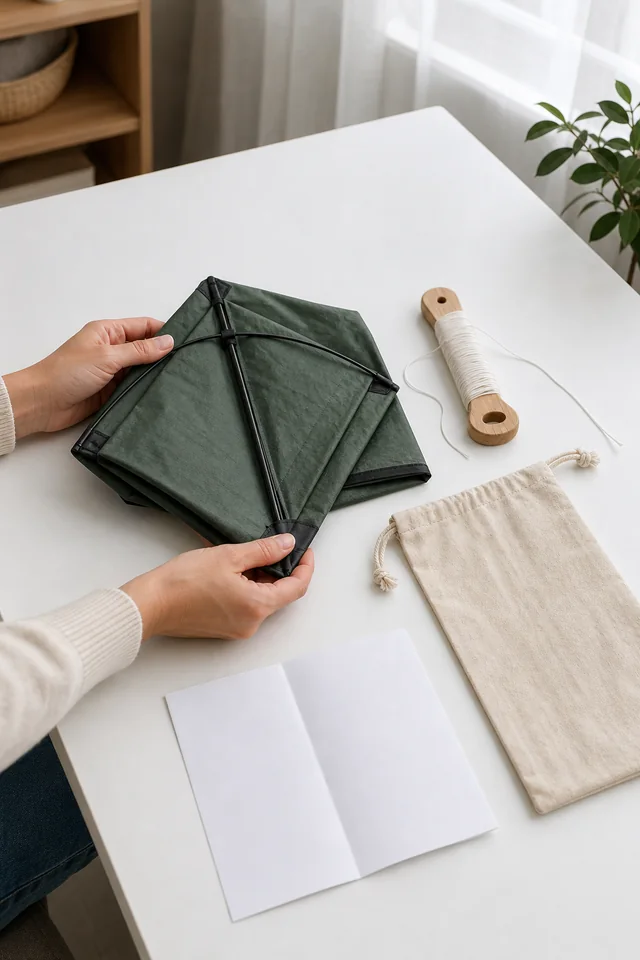
When almost everyone asks, move the answer up the page
This is the most useful idea in this guide.
Look at your tally. Find the questions that nearly every buyer asks, or needs answered before buying.
Those answers don't belong only in the FAQ. They belong higher up the page too.
Put them in the first lines of the description, or right next to the price and the button. That's where people look while they're deciding.
Why does this matter? The FAQ usually sits near the bottom of the page, and plenty of shoppers never scroll that far.
So if the answer to "Does it come with the string?" lives only in the FAQ, some people will never see it. They'll leave unsure, or email you to ask.
In our example, imagine two questions top Pádraig's tally. People want to know how windy it needs to be, and whether the string comes with it.
So he could move both answers up. A short line under the price could say what's in the box. The first line of the description could say what kind of wind the kite suits.
He'd still keep both in the FAQ for anyone who scrolls straight down. But nobody would have to hunt for them.
Here's a simple guide for where each answer goes:
| How often it comes up | Where the answer belongs |
|---|---|
| Almost every buyer needs it | Next to the price or button, or in the first lines of the description |
| Lots of buyers ask | In the description, and in the FAQ too |
| Some buyers ask | In the FAQ |
| Rarely asked, and about the whole shop | On a separate help page |
Once the big answers move up, your FAQ becomes a home for questions that matter to some people, not all. That's what it does best.
Moving answers up won't guarantee more sales. But it does remove one easy reason for someone to give up.
Keep shop-wide questions on their own page
Another common mix-up is putting the same general questions on every product page.
You've seen them: "How long is delivery?" "What's your returns policy?" "Do you ship abroad?"
These are shop-wide questions. The answer is the same for every product.
Repeating them everywhere makes each FAQ longer. It also pushes the product questions further down.
A tidier set-up looks like this:
- On the product page: questions about this product. Size, what's included, how to use it, who it suits.
- On a help or delivery page: questions about your whole shop. Delivery, returns, payment, gift wrap.
- On each product page: a short link to that help page, such as "Delivery and returns".
There's one exception. If a shop-wide question works differently for one product, say so on that product's page.
For example, one kite might be too long for standard post. If that means a different delivery time, put it on that kite's page. Don't let buyers find out at checkout.
Keep your delivery and returns wording accurate and up to date. If you're not sure what you must tell buyers, check the consumer rules where you sell.
An honest "no" earns more trust than a missing answer
It's tempting to leave out questions where the answer isn't what people want to hear. Questions like these:
- "Can it go in the dishwasher?" No.
- "Can I fly it in a small garden?" Probably not.
Put them in anyway.
People who need that answer will find out sooner or later. If they find out after buying, they're let down, and they may send it back.
If they find out before buying, they can choose something else. Or they can buy knowing just what to expect.
An honest "no" also builds trust. When people see you answer awkward questions plainly, they're more likely to believe your other answers.
In our example, Pádraig could add "Can I fly it in my back garden?" A fair answer might be: "Only if it's big and open, with no trees or wires nearby. A park, field or beach usually works better."
He might worry it puts people off. But it helps the right buyers, and it could save someone with a tiny garden from a let-down.
The same goes for small differences in handmade products. Colours can shift a little between batches. Stitching isn't machine-perfect, and a pattern might sit slightly differently.
Most people are happy with that, as long as it doesn't catch them by surprise. So say it calmly in the FAQ:
- "Will mine look exactly like the photo?" Very close. Each one is made by hand, so small details can vary.
- "Is every one the same colour?" Nearly. Fabric comes in batches, so the shade can shift a little.
Answered up front, these differences can feel like part of the charm. Left unanswered, they can turn into a complaint.

FAQ code won't win you a special Google result any more
You may have heard about FAQ structured data, sometimes called FAQ schema. It's code that labels the questions and answers on a page.
For a while, it could make extra questions show up under a page in Google's results. Google later limited them to well-known, authoritative government and health websites.
Now it has gone completely. Google's own documentation update log says FAQ rich results stopped appearing in Google Search from 7 May 2026.
The same log says Google removed its FAQ rich result guide in June 2026.
So don't add FAQ code in the hope of a special Google result. Build your FAQ for the people reading the page.
If your shop platform adds this code on its own, the visible questions and answers still do their real job for buyers. Other search tools work in their own ways, so check their own guidance if they matter to you.
Search features change often. If you read advice about FAQ code, check its date and the search engine's own documentation before acting on it.
A short review every few months keeps your FAQ useful
Your FAQ isn't a one-off job. Questions change over time.
New products bring new questions. Seasons change what people ask. A change to your packaging or delivery can make an old answer wrong, or raise a new question.
Put a reminder in your calendar to review your FAQ every three or four months. Then work through these steps:
- Read back through recent messages and reviews.
- Add what you find to your tally.
- Take out questions nobody asks any more.
- Add new ones that keep coming up.
- Move very common answers higher up the page.
- Check every answer is still true.
That last step matters most. An out-of-date answer can do more harm than no answer at all.
Here's a quick checklist for each product page:
- Every question came from a real customer or someone thinking of buying.
- The questions use your customers' words.
- Each answer starts with yes, no or the key fact.
- Each answer is one or two sentences.
- Answers almost everyone needs also sit higher up the page.
- Shop-wide questions live on a help page, with a link.
- Honest "no" answers are included.
- Every answer has been checked against the real product.
The best product FAQ section feels a bit like mind reading. A buyer wonders something, scrolls down, and there's the answer in their own words.
That feeling doesn't come from guessing. It comes from listening, answering plainly and putting the big answers where nobody can miss them.
Start with your inbox. You may find much of your FAQ is already written. It just isn't on the page yet.
Sources
- Google Search Central Blog, Changes to How To and FAQ rich results (8 August 2023)
- Google Search Central, Latest Google Search documentation updates (entries for 8 May 2026 and 15 June 2026)

All five images are AI-generated illustrative concept art. They do not depict a real shop, customer, product specification, product test, performance, customer question, business result or outcome.
Keep going
Product Pages / Practical guide
Product Page Checklist: 12 Checks to Run Before Your Page Goes Live, Starting With the Fact That Rules Buyers Out
Most product page checklists count the parts of a page. These twelve checks test whether a buyer can understand, choose and order without guessing, using one made-up dog harness to show every check finding a real problem.

Content Creation / Practical guide
Product Descriptions From Verified Facts: Build One Dated Fact Sheet, Settle the Conflicts, Then Write
Your product facts live in a supplier email, an old listing, a label and your memory, and they rarely agree. Gather them into one dated sheet, give every row a source and a status, settle the conflicts before you write, and the description becomes the easy part.